How to Pay for ShotMeal
A simple step-by-step guide to activating your premium subscription
How to subscribe
Payment takes less than a minute — right inside Telegram:
Select the plan that works best for you — monthly, 3 months, or yearly.
Confirm the payment with your bank card. If you don't have enough balance, Telegram will offer to top up right away.
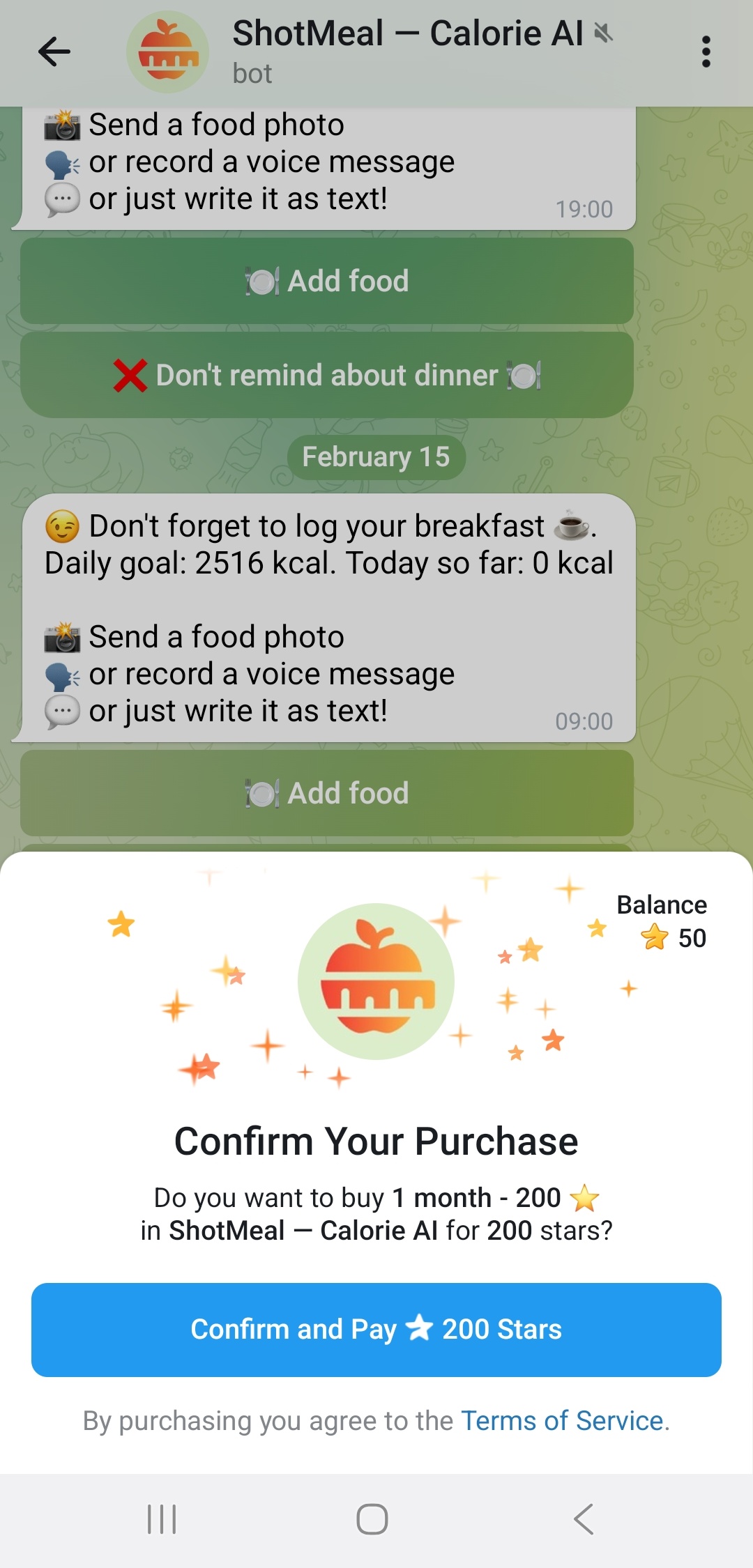
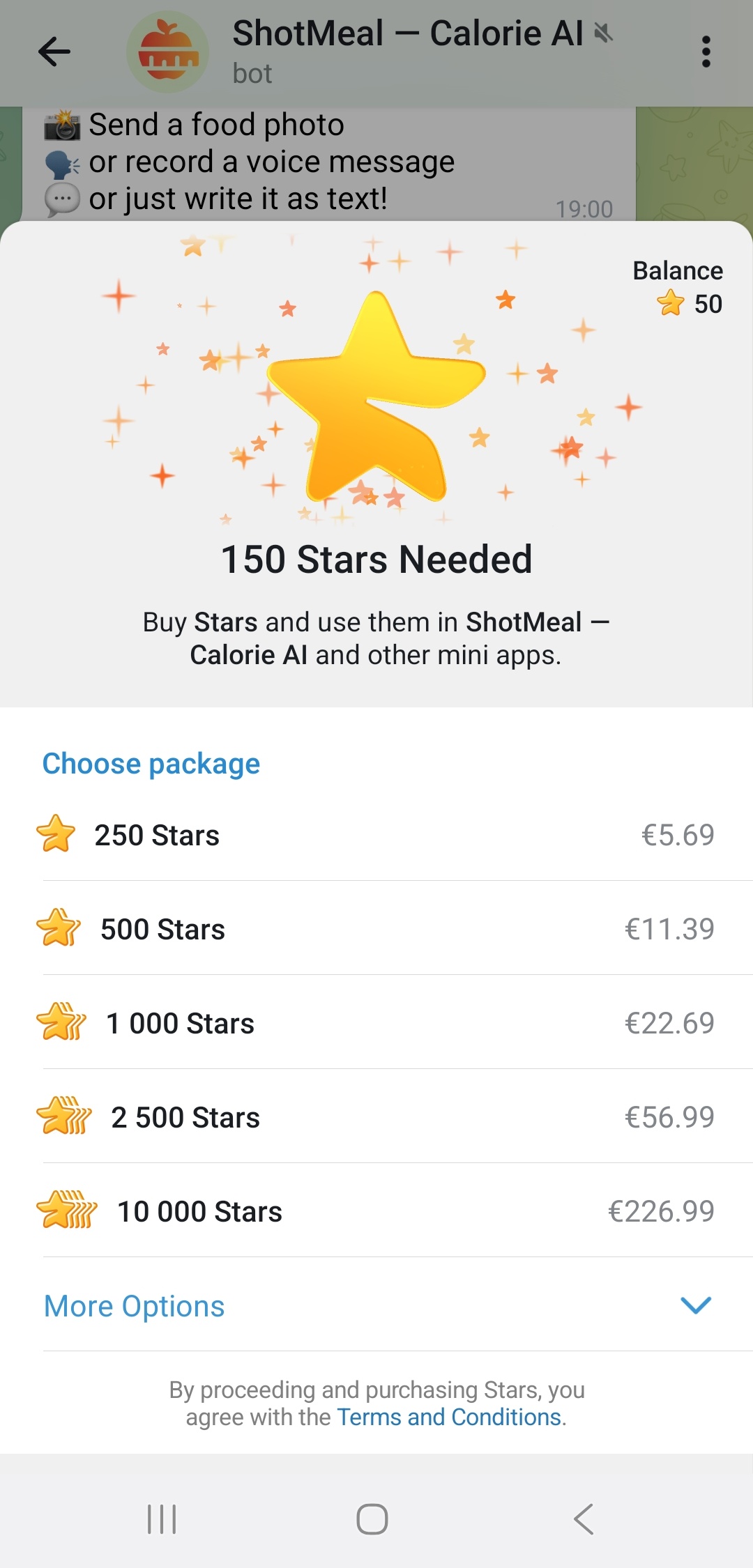
Your premium subscription is activated instantly after payment.
No auto-renewal. ShotMeal does not charge you automatically. When your subscription expires, you simply choose whether to renew or not.
Frequently Asked Questions
Is it safe to pay?
Yes. All payments are processed securely by Telegram. We never see or store your card details.
Can I get a refund?
Refunds are handled by Telegram according to their refund policy. Contact @ShotMealHelpBot if you need assistance.
I paid but the subscription didn't activate
Make sure you completed the payment inside the bot. Go to @ShotMealBot, choose a plan, and confirm the payment. If the issue persists, contact @ShotMealHelpBot.